Configuration
Pipeyard uses your Bitbucket workspace to discover repositories and pipelines. A small number of settings control how often data is refreshed and which permissions are used.
Repository access
Pipeyard queries the Bitbucket REST API for repositories in the workspace you specify. It does not clone repositories or read source code. It only reads metadata and pipeline status that your connected Bitbucket account can already access.
Required permissions
Pipeyard is a Jira Forge app and requests the following read-only Forge scopes for Bitbucket:
read:workspace:bitbucket— discover the workspace and its metadata.read:repository:bitbucket— list repositories and their pipeline settings.read:pipeline:bitbucket— read pipeline status and build information.read:runner:bitbucket— read self-hosted runner status.
These scopes are read-only. Pipeyard does not request write:*, admin:*, or delete:* scopes.
Configuration options
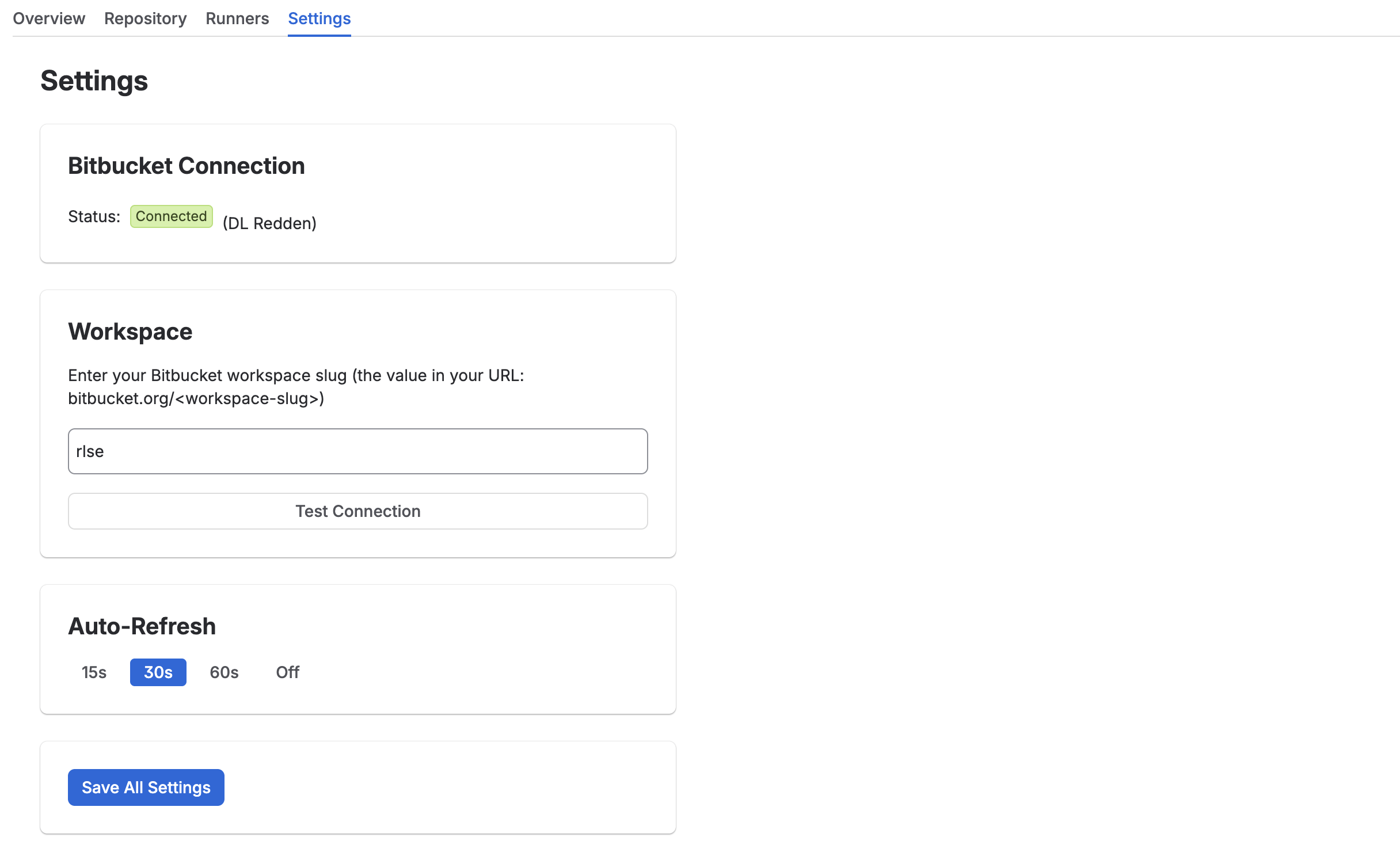
The following settings are available from the Pipeyard settings panel:
| Setting | Description | Default |
|---|---|---|
| Workspace slug | The Bitbucket workspace to monitor | none |
| Refresh interval | How often to refresh dashboard data | 60 seconds |
Shorter intervals show updates sooner. Longer intervals reduce Bitbucket API usage.
How Pipeyard discovers pipelines
- Pipeyard reads the workspace slug you provide.
- It lists repositories in that workspace that the connected account can access.
- For each repository, it queries the Pipelines API for recent pipeline runs.
- Pipeline results are cached briefly and displayed on the dashboard.
Pipelines must have run at least once to appear. New repositories may take one refresh cycle to show.
Refresh behavior
Data is cached for a short time (between 30 seconds and 5 minutes) depending on the refresh interval. Cached data expires automatically and is not persisted between page loads.
Screenshot: Configuration panel